
Gantt Excel (@ganttexcel), a US-based channel, makes short and long tutorials on building Gantt charts in Microsoft Excel. It has about 5,650 subscribers and a median of roughly 2,000 views per video, with one to six uploads a month. Sponsored integrations are estimated at $150 to $250 per Shorts-heavy video and $150 to $250 per long-form video.
Business-focused Excel tutorials with steady, engaged viewers
- Median of about 2,005 views per video across 35 uploads
- Recent uploads average roughly 6 per 90 days, keeping the feed active
- Nearly 30 percent of uploads are Shorts, adding quick-format reach
Brand fit report
Content
- Formats
- screen-recorded tutorials, short vertical tips, feature walkthroughs
- Tone
- instructional, practical
- Language
- English
- On camera
- No, voiceover and b-roll
- Production
- Phone, natural light
- Typical length
- under 60 seconds for Shorts, 1 to 5 minutes for tutorials
Audience
Commercial
- Brands seen
- None yet
- Categories promoted
- project management software
- Affiliate links
- No
No sponsorship disclosures found in the last 50 videos; the channel promotes its own product, Gantt Excel, in descriptions and Shorts.
Suitability GARM Brand Safety Floor + Suitability
Family friendly
Tutorial content with no flagged titles or descriptions across the last 30 videos.
We classify content, never people. No age, gender, ethnicity, religion or political views are inferred about the creator. Audience figures are estimates unless marked verified. Creators can correct anything on their profile.
Platforms
| Platform | Followers | Median views | Uploads, 90d |
|---|---|---|---|
| YouTube | 5.7k | 2k | 6 |
Benchmark score: 51 / 100
Public rule, same for everyone. How it works.
Recent videos
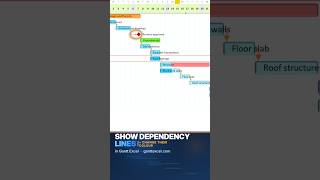 ▶Can't See the Arrows in Your Gantt Chart? (Excel) · 334 views
 ▶Add a Milestone That Moves Itself (Excel Gantt Chart) · 447 views
 ▶How to Add Milestones to a Gantt Chart in Excel · 158 views
Last three uploads, latest 21 days ago.
Gantt charts in Excel, done properly. Gantt Excel is a Gantt chart template and add-in for Microsoft Excel. You type your tasks the way you already do in a spreadsheet, and it draws the timeline, links dependencies, rolls up summary tasks and tracks % complete for you. Nothing new to learn, and no Microsoft Project licence needed. On this channel we show how it all works: - Building a project schedule from scratch - Task dependencies, lead and lag - Baselines, critical path and slack - Resources, costs and workload planning - Dashboards and printable reports - Plain Excel Gantt chart tricks
About Gantt Excel
Gantt Excel is a US-based YouTube channel from the company behind the Gantt Excel add-in for Microsoft Excel. It publishes screen-recorded tutorials on task dependencies, milestones, baselines, resources and dashboards, plus short vertical tips. Most uploads run from under a minute to about five minutes, with roughly one to six videos a month.
The channel has about 5,650 subscribers and a median of roughly 2,000 views per video, with a few older videos reaching tens of thousands. Audience figures are estimates based on topic and metrics, and likely skew toward office workers, project managers and small business planners in English-speaking markets.
The channel has not carried sponsored integrations in its recent uploads. At $20 to $35 per 1,000 median views for long-form content, or $4 to $8 per 1,000 for Shorts-heavy output, a sponsored video is estimated at $150 to $250. That is a lower CPM than the $10 to $30 typical of paid ads, and it suits software and productivity brands seeking a targeted audience.
Written from Gantt Excel's public YouTube profile, platform data and web mentions. Numbers updated 2026-10-19. Gantt Excel can edit or remove this page at any time.
Questions about Gantt
How much does Gantt Excel charge for a sponsored video?
Based on its median of about 2,000 views, a sponsored integration is estimated at $150 to $250 per video. The rate is an estimate from the channel's view counts, not a published price. Contact details unlock on Starbooked for $0.80.
What does Gantt Excel post about on YouTube?
Gantt Excel posts tutorials on building Gantt charts in Microsoft Excel, covering task dependencies, milestones, baselines, resources and dashboards. It also publishes short vertical tips and feature walkthroughs for its own add-in.
How do I contact Gantt Excel for a brand deal?
The channel lists support@ganttexcel.com and the website ganttexcel.com. Full contact details unlock on Starbooked for $0.80. If the creator is boosted, the channel can be booked directly through Starbooked.
Similar creators
YouTube and other creators in gantt charts, ranked by score.
| Creator | Niches | Followers | Median views | Rate | Score |
|---|---|---|---|---|---|
GanttPRO@ganttpro | project managementgantt charts | 2k | 172 | $150–250 | 28 |
UNIVERSAL IT COMPUTER EDUCATION @universalitorg · IN | computer educationmscit exam prep | 2.7k | 1.3k | $150–250 | 53 |
Excelpourlesbulles@excelpourlesbulles · FR | excel tutorialsspreadsheet tips | 10k | 19k | $380–660 | 52 |
SirGanttalot@sirganttalot | project managementmicrosoft project | 9.9k | 8k | $160–280 | 52 |
実川香名美のセミナーTV@tv-zd1wz · JP | computer basicsexcel tutorials | 5.7k | 11k | $210–370 | 51 |
มนุษย์ Excel@excel-man · TH | excel tutorialsvba and automation | 7k | 6k | $150–250 | 51 |